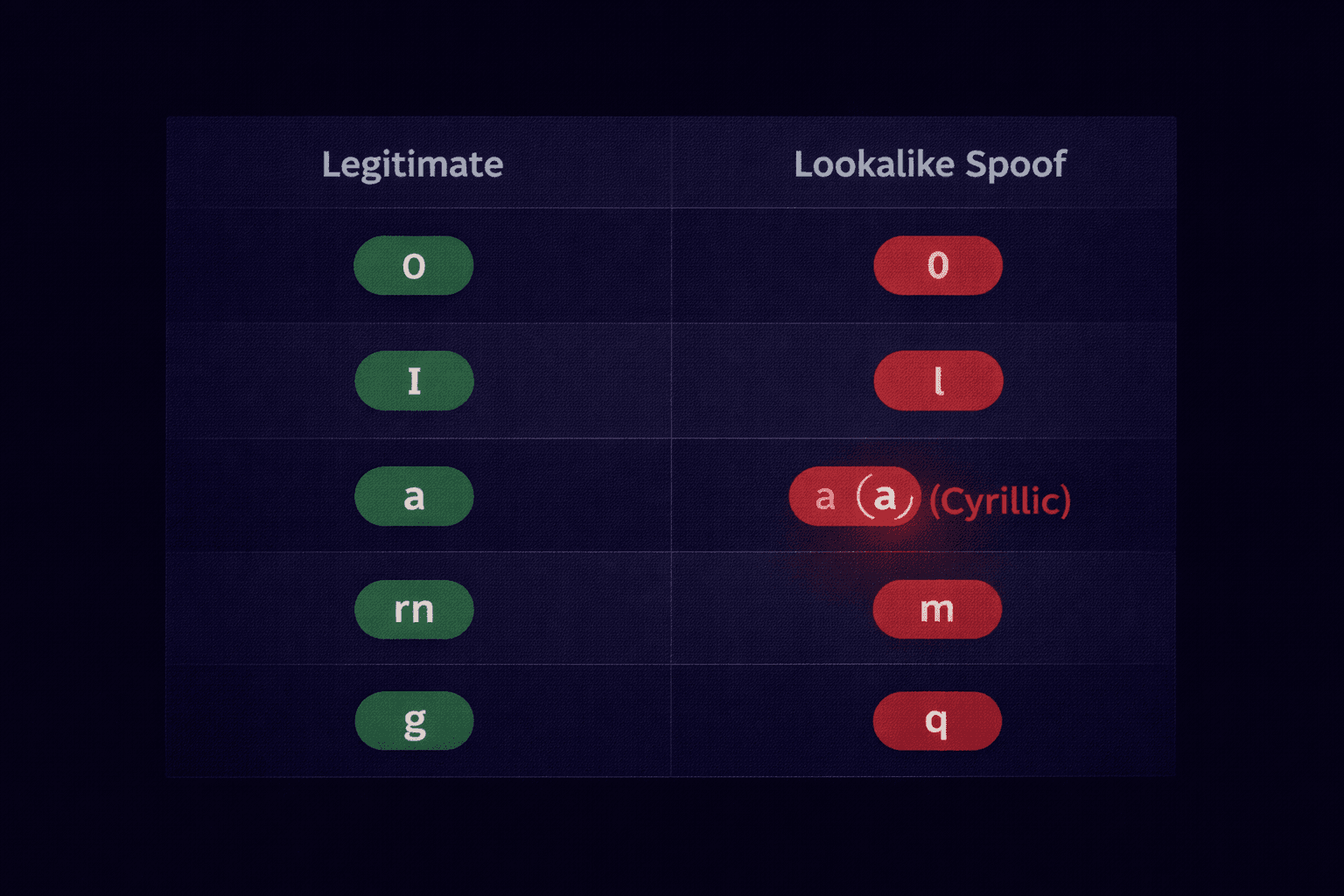
You receive an email from `[email protected]`. At a glance, it looks legitimate. But look closer. The "m" is actually an "r" followed by an "n". This is Typosquatting, and it catches millions of victims every year.
What is Typosquatting?
Typosquatting involves registering domain names that are extremely similar to popular brands, banking on user error or visual oversight.
- The Missing Dot: `wwwamazon.com` instead of `www.amazon.com`.
- The Transposition: `goolge.com` instead of `google.com`.
- The Wrong TLD: `apple.co` instead of `apple.com`.
The Advanced Threat: IDN Homograph Attacks
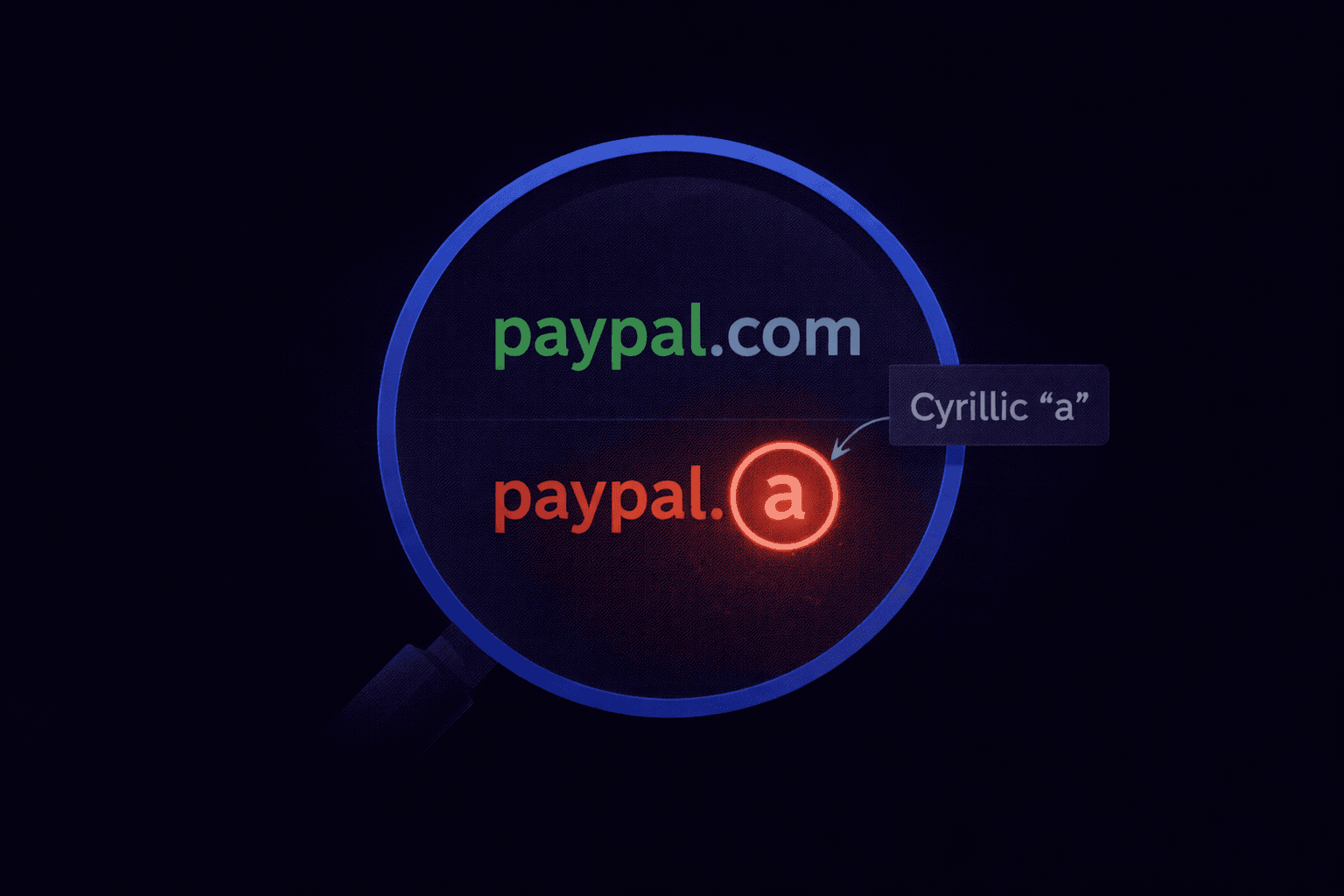
While typosquatting relies on similar-looking English letters, Homograph Attacks use characters from different alphabets (Greek, Cyrillic, Latin) that look identical to reliable ASCII characters.
For example, the Cyrillic small letter "a" (U+0430) is indistinguishable from the Latin "a" (U+0061) in most fonts.
A hacker can register `pypal.com` using the Cyrillic "a". To your browser, this is a completely different website than the real PayPal, but to your eyes, it's perfect.
Punycode: The Defense Mechanism
To prevent this, browsers use a system called Punycode. If a domain contains non-standard characters, the browser translates it into a safe format starting with `xn--`.
Fake Domain: `apple.com` (using Cyrillic 'a')
Real DNS Name: `xn--pple-43d.com`
If you ever see a URL in your address bar starting with `xn--`, you are looking at a localized domain. If you weren't expecting a Russian or Chinese website, close the tab immediately.
How to Spot These Attacks in Emails
Attackers use these domains in the "From" field to bypass filters.
- Don't Trust the Display Name: As discussed in our Spoofing Guide, the name is easily faked.
- Hover Over Links: Before clicking, hover your mouse over the link. Does the destination match the text?
- Check the Certificate: Legitimate sites use EV (Extended Validation) or high-trust SSL certificates. Fake sites often use free, automated certificates.
Not Sure if a Domain is Real?
Our analyzer decodes Punycode automatically. If an email comes from a homograph domain, we flag it as a Homograph Attack instantly.
Scan for Hidden Characters