
Every email leaves a digital footprint. Hidden within the headers is a list of every server the message passed through, often including the IP address of the sender's device.
Can You Really Trace an Email?
The short answer is: Yes, but with limitations.
If an email is sent from a desktop client like Outlook or Thunderbird, the sender's home or office IP address is often recorded in the headers. However, if the email comes from a webmail service (like Gmail.com or Yahoo.com), the IP address you see will belong to Google or Yahoo, not the person sitting at the computer.
The "Received" Header Chain
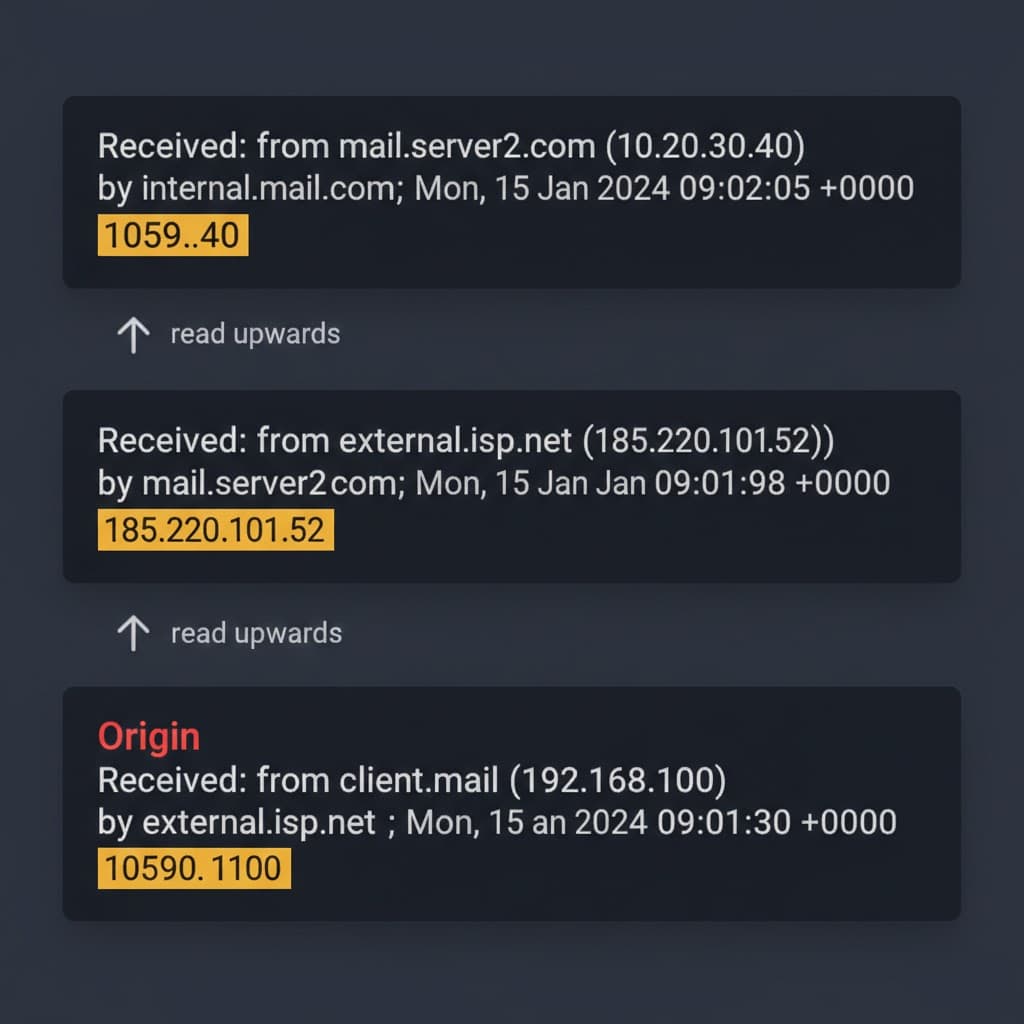
The key to tracking an email is the Received header. An email might have 3, 5, or even 10 of these lines.
Important Rule: Read from Bottom to Top.
- The bottom-most line is where the email started.
- The top-most line is where it ended (your inbox).
by mx.google.com with ESMTPS id...
for <[email protected]>
Received: from [192.168.1.5] (cpe-74-10-22-11.nyc.res.rr.com. [74.10.22.11])
by smtp.gmail.com with ESMTPSA id...
In the example above, the bottom Received line shows the true origin: 74.10.22.11. A quick lookup reveals this IP belongs to an ISP in New York City.
X-Originating-IP: The Smoking Gun
Some email providers explicitly stamp the sender's IP in a special header called X-Originating-IP or X-Sender-IP.
If you find this line, you have struck gold. It is almost always the direct IP of the sender's device.
Limitations: VPNs and Proxies
Smart attackers use VPNs (Virtual Private Networks) or Tor to hide their location. If you trace an IP to a data center in Panama or a Tor exit node, you've hit a dead end. The IP is real, but it doesn't belong to the sender's home.
How to Do It Automatically
Manually reading Received headers is tedious and error-prone. Our tool parses the entire chain, identifies the hops, and maps the geolocation automatically.
Steps:
- Copy the raw email headers.
- Paste them into the Email Header Analyzer.
- Scroll down to the "Geographic Origin" map.
Trace the Sender's IP Instantly
If an email claims to be from a bank but the originating IP traces to a residential connection in another country, it's a scam. Our tool maps it for you.
Trace the Sender's IP